Travel planning — some people absolutely love it, and others hate it. If you've got a planner in your life who handles the details while you go with the flow, or if you're the one doing all the planning yourself, here's exactly how we approach every trip. One of our favourite tools for this is Google Maps.
How to Plan Your Trip
Pick a Destination and Research Flight Prices
Picking a destination is often the hardest part — there are so many beautiful places, how do you even choose? Our process is largely driven by flight prices. If we know we want to travel in a particular month and have two possible destinations in mind, we search both on Google Flights, select the cheapest dates for each, and set up price alerts so we're notified when prices change. When prices hit their lowest point, we book. We once booked a Canada trip during an Air Canada spring sale that considerably lowered the cost.
Campervan Route Tip
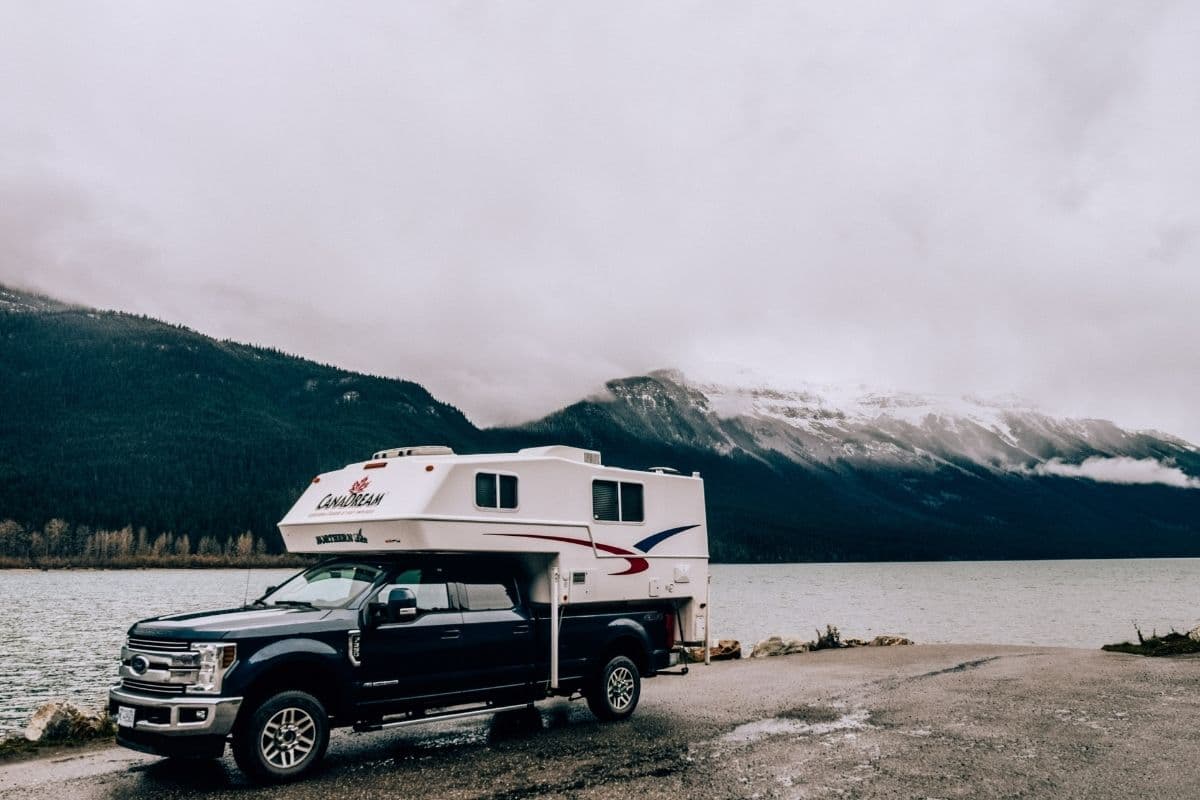
If you're doing a one-way trip via campervan, check both directions for pricing before booking — one-way fees can vary significantly depending on which way you're travelling, sometimes by hundreds of dollars.
Research Visas
Make sure you check visa requirements early, particularly if you need to send your passport away to get one processed before you travel.
Research Accommodation
A quick overview of average accommodation prices before booking flights helps confirm your destination fits the budget — or you can book flights first and search for the best value accommodation afterwards. We also check campervan companies at this stage, usually starting with a general search to see which names come up consistently.
Tip 1: Sign up for Booking.com — five bookings gets you a 10% Genius discount.
Tip 2: For one-way campervan trips, remember there's usually a one-way fee added to the rental. Checking the opposite route can sometimes reveal a much better deal — we found a campervan route from Calgary to Whitehorse would have cost close to $2,000 USD including an $800 one-way fee, but renting in Whitehorse and driving to Calgary instead brought the total down to $900 USD.
Book Flights and Accommodation
Once you've found a good flight price, book directly through Google Flights or the airline site it points you to. Booking.com remains our favourite for accommodation, particularly because many properties offer free cancellation up until close to arrival — meaning you can lock in a good deal early and still switch later if something better comes along.
Booking Order Tip
Book accommodation after confirming flights, especially if it doesn't offer free cancellation. If you find something excellent with free cancellation before your flights are confirmed, book it anyway — you can always cancel later if plans change.
Free Download
Free Road Trip Planning Checklist
Everything to sort before, during and on the road.
Google Maps for Travel Planning
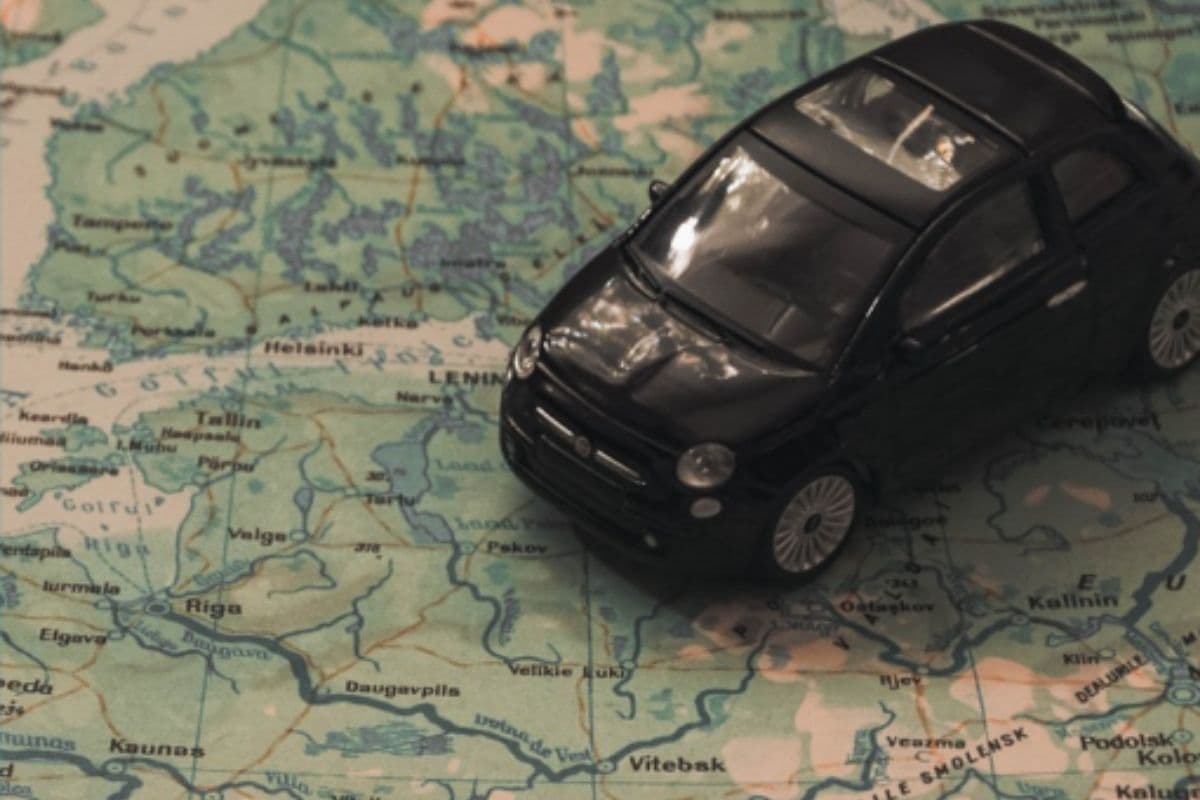
This is where Google Maps really earns its place in trip planning. Head to Google My Maps — a separate tool from regular Google Maps that lets you build your own custom map. Here's how, step by step.
1. Create Your Map
Click "Create New Map," then name your map and your first layer.
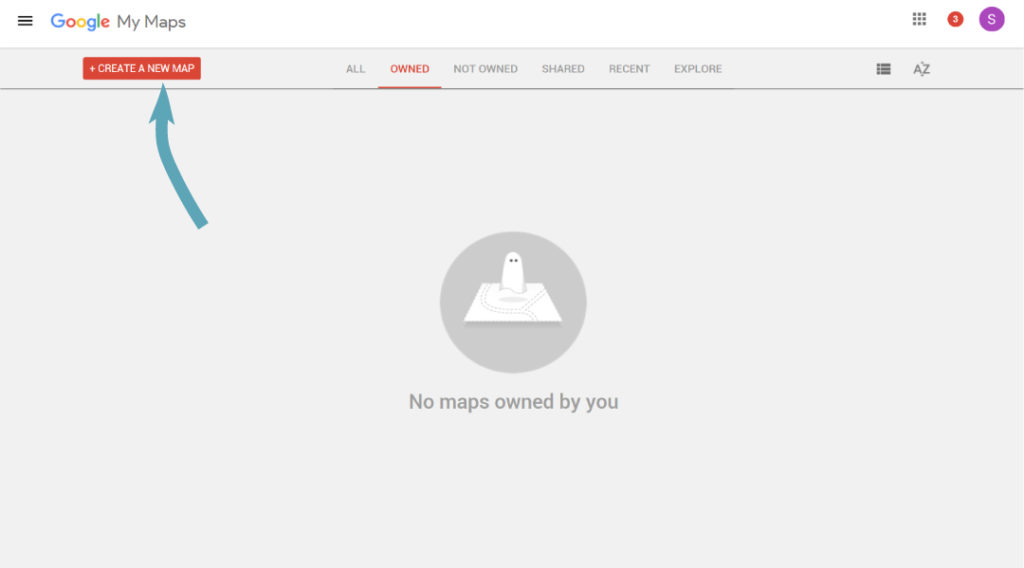 Google Maps for travel planning — step one
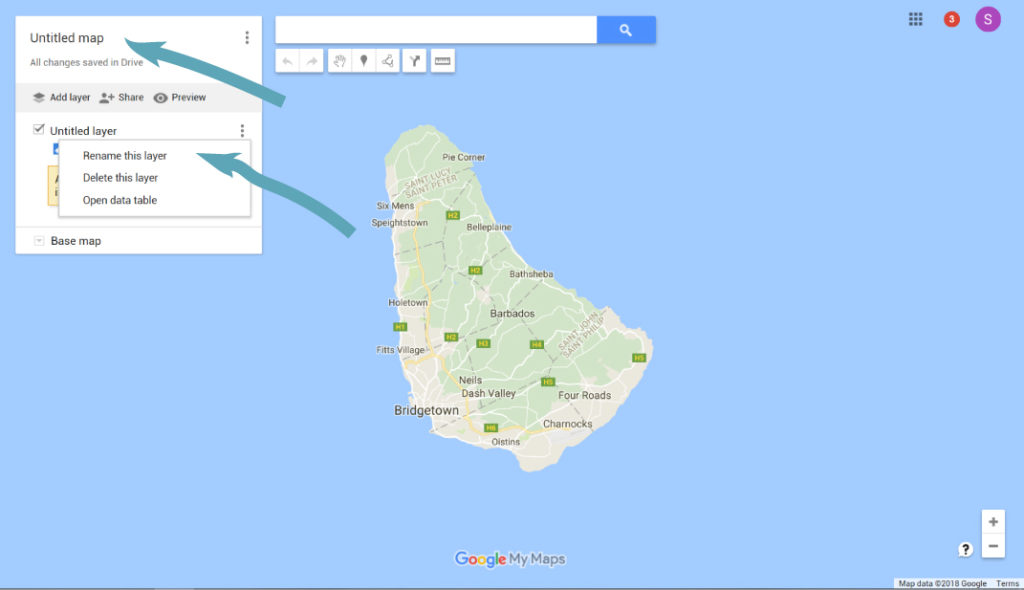 Rename your layers
2. Add a Location to Your Map
Type a place of interest into the search bar. A green marker will appear on the map and the name shows in the left sidebar — click the "+" to add it to your current layer. Create separate layers for restaurants, points of interest or national parks, however makes sense for your trip.
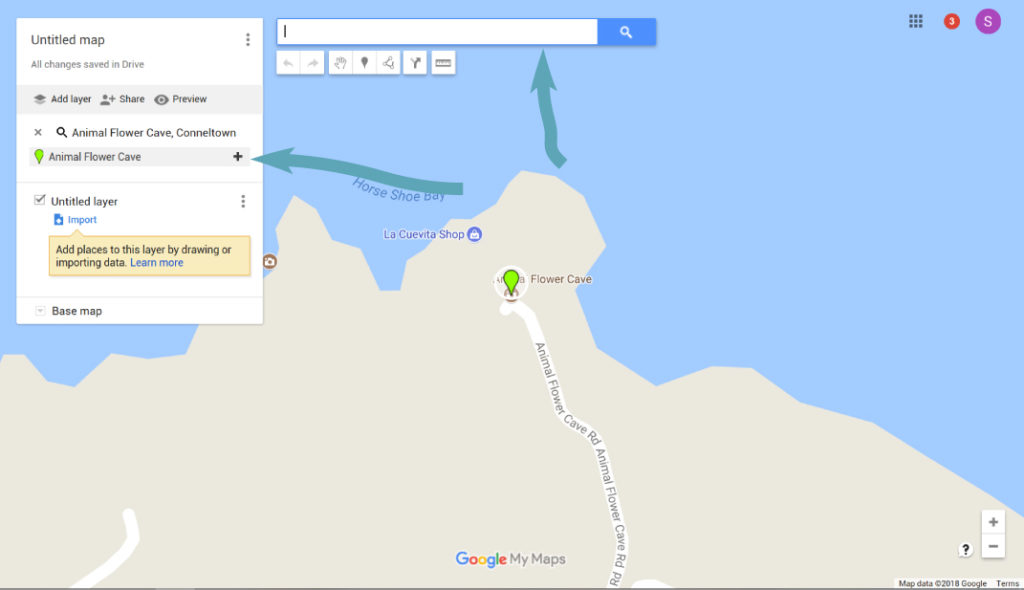 Adding a location to your map
3. Create a Driving Route
Once your locations of interest are dropped in, map out a route. Click "Add Directions" under the search bar — this creates a new layer. Set your starting point at "A," then add your first stop at "B" and continue adding destinations. You can add up to 10 locations per directions layer, but multiple layers are allowed — breaking a route down by day keeps things especially organised.
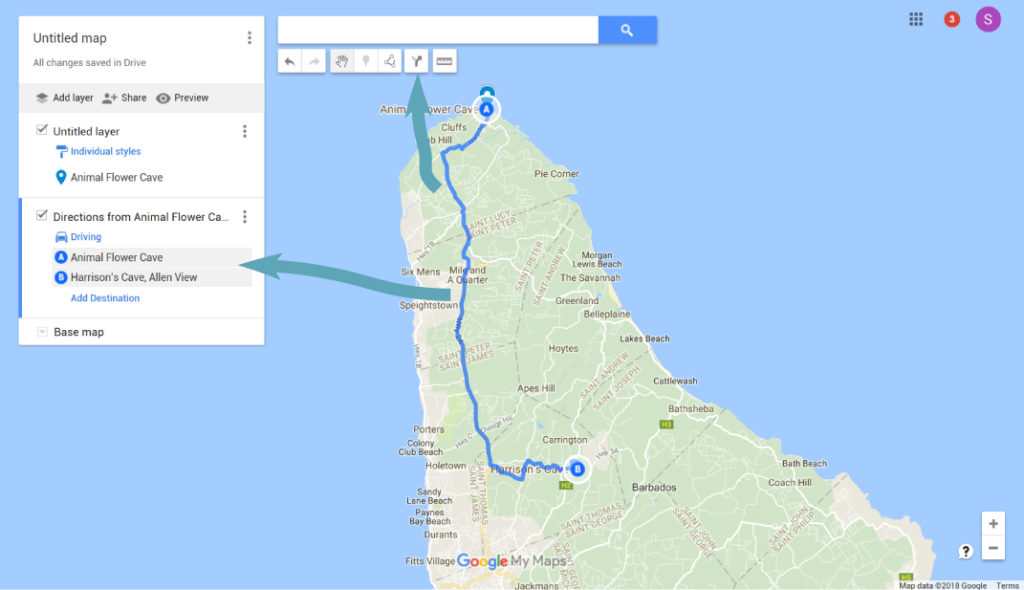 Adding a driving route
4. Name and Save Your Map
Name your map and save it. Once done, log into Google Maps on your phone, open the menu, go to "Your Places," slide across to "Maps," and you'll see everything you've built with all your layers. Toggle layers on and off as needed — your route is already mapped out, so all that's left is to zoom in and follow the roads.
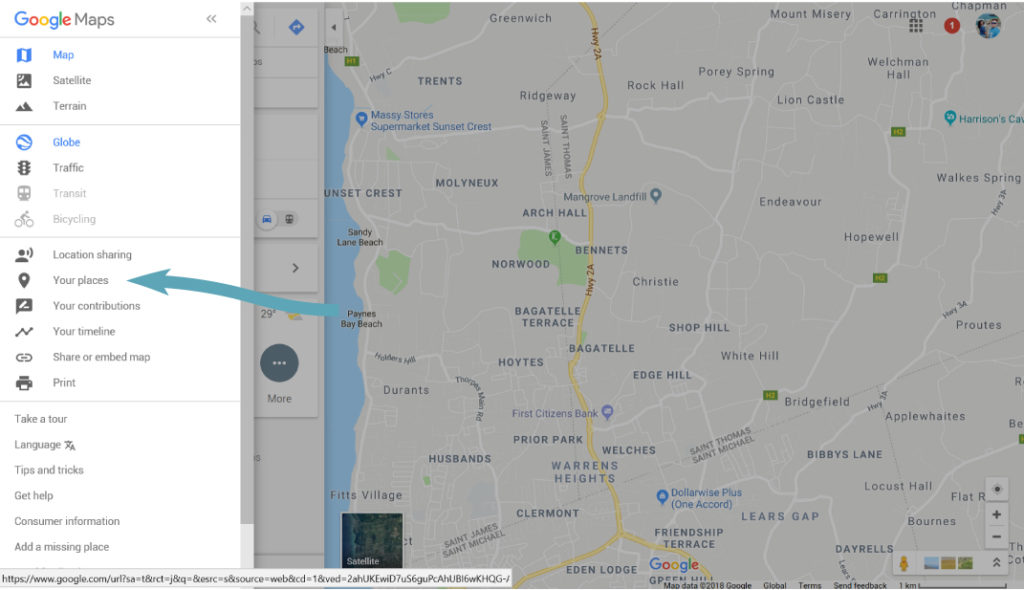 Finding your map in Google Maps
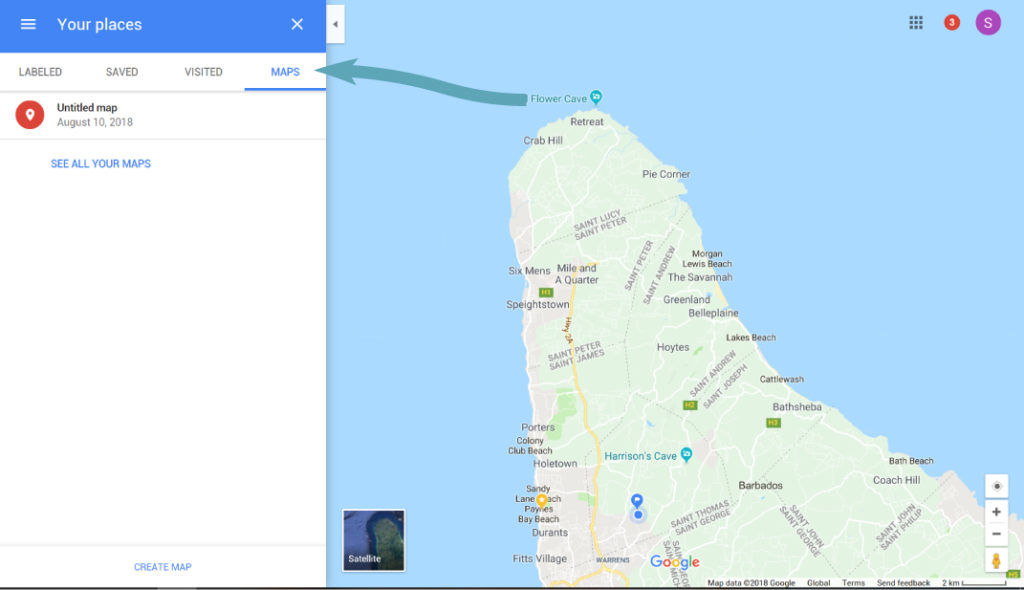 Selecting your map
Free Download
Free Road Trip Planning Checklist
Everything to sort before, during and on the road.
Pack and Prepare
Buy Any Travel Necessities
Make sure you have everything you actually need before you go. A simple packing list — shirts, trousers, socks, underwear, toiletries — helps identify gaps early, and anything that comes to mind closer to departure just gets added.
Pack Early
We pack about a week in advance. Especially when travelling carry-on only, you want to see early whether your bag is overstuffed — that's usually a sign you're bringing something unnecessary. Packing early gives you time to adjust, whether that means removing a luxury item or adding an extra layer.
Compile All Travel Documents and Details
Everything is online now, but connectivity isn't guaranteed. Screenshot your boarding passes before leaving home, or print them the old-fashioned way. Write flight details, times, hotel addresses and phone numbers somewhere accessible on your phone — or on paper if your battery habits are unreliable. You don't want to land and get in a taxi with no idea where you're actually going.
Keep Documents Safe and Accessible
Store your documents somewhere both secure and easy to reach, and don't forget a pen.
Enjoy Your Trip
Get to the airport early — arriving late tends to add stress and paranoia about forgetting something. Aim for about two hours before your flight, then sit down, have a coffee, and enjoy the start of the adventure.
Free Download
Free Road Trip Planning Checklist
Everything to sort before, during and on the road.
Related Posts
Frequently Asked Questions
Google My Maps lets you build a custom map with your own pins for places of interest, organised into layers, plus a driving route connecting them. It's free, works offline once saved to your phone, and means your entire route is planned before you even land.
Build your trip plan as you read
Use the free Wandering Bajans trip planner to build your itinerary, packing list and budget as you go.
Open the Trip Planner →